llms.txt generator
Create an llms.txt file for your website from its sitemap. We pick your key pages, read their titles and descriptions, and format the file for you to edit and download.
Your llms.txt
What a good llms.txt contains
The format is deliberately simple Markdown: an H1 with your site or brand name, a short blockquote summary, optional notes, then H2 sections with lists of links in the form - [Page title](url): what it covers. An “Optional” section can hold pages that are useful but not essential.
Keep it short and factual. Link to the pages you would want an assistant to read first: services or products, pricing, about, contact, and your best guides. Skip tag archives, logins and thin pages.
Getting AI assistants to actually use your site
llms.txt helps only if crawlers can reach your pages and read them. Check your robots.txt with the AI crawler checker, then run the AI visibility checker on your key pages.
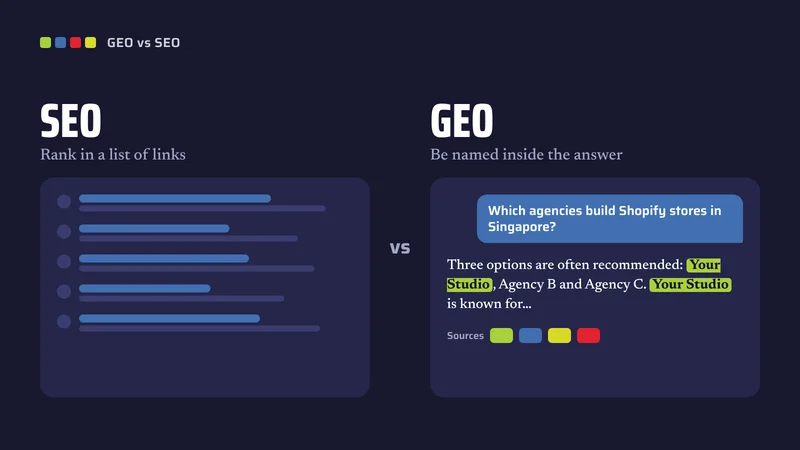
For a managed programme that tracks how ChatGPT, Perplexity and Google AI Overviews mention you, see our GEO service.
llms.txt generator FAQs
What is llms.txt?
llms.txt is a plain-text Markdown file at the root of a website, for example yourdomain.com/llms.txt, that summarises what the site is and links to its most useful pages. It was proposed in 2024 as a simple way to help large language models and AI agents find the right content.
Do ChatGPT and Google use llms.txt?
No major AI search engine has confirmed it uses llms.txt for ranking or citations. Some AI coding tools and agents do read it. Treat it as a cheap, low-risk addition rather than a ranking factor: robots.txt access, readable content and schema matter far more today.
How does this llms.txt generator work?
It reads your sitemap, picks up to 25 important pages, fetches each page title and meta description, and writes an llms.txt in the standard format: a title, a one-line summary, and sections of linked pages with short notes. You can edit everything before downloading.
Where do I upload llms.txt?
Upload it to the root of your site so it loads at yourdomain.com/llms.txt. On WordPress you can upload it with your host’s file manager or SFTP into the same folder as wp-config.php. Serve it as text/plain or text/markdown.
What is the difference between llms.txt and llms-full.txt?
llms.txt is a short index of links. llms-full.txt is an optional companion that contains the full text of your key pages in one file. Start with llms.txt.
Will llms.txt replace robots.txt or my sitemap?
No. robots.txt controls which crawlers may visit, and the sitemap lists every page for search engines. llms.txt is a curated guide for AI systems and sits alongside both.
More free tools
- GEOAI visibility checkerScore any page for ChatGPT, Claude, Perplexity and AI Overviews: crawler access, schema, answer-ready content.
- robots.txtAI crawler checkerSee which AI bots your robots.txt allows or blocks, and get a ready-made robots.txt.
- SecurityWordPress security checkerCheck a WordPress site for exposed versions, usernames, open files and signs of a hack.
- SEOFAQ schema generatorWrite FAQPage JSON-LD for Google and AI answers, by hand or from your page.
- PlanningProject cost estimatorA budget range and timeline for a website, app or AI project in 60 seconds.