WordPress security checker
A free outside-in scan of any WordPress site. See what attackers see first: exposed versions, listable usernames, open files, missing headers and visible signs of a hack.
Exposure and hardening
Signs of a hack and headers
Plugins visible in your page source
Check each one is up to date and still maintained. Abandoned plugins are the most common way in.
| Plugin | Version in page |
|---|
What a public scan can and cannot see
Outside-in checks are useful because they show your site the way an attacker’s scanner sees it first: version numbers, user lists, forgotten files and missing headers. These are the details automated bots use to pick targets.
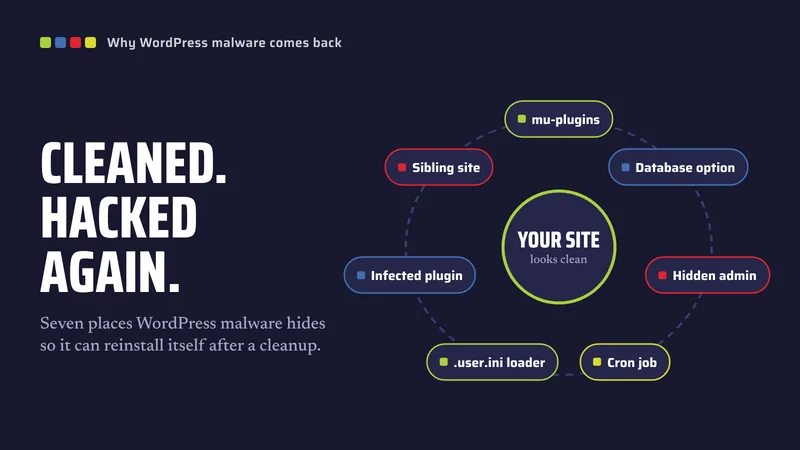
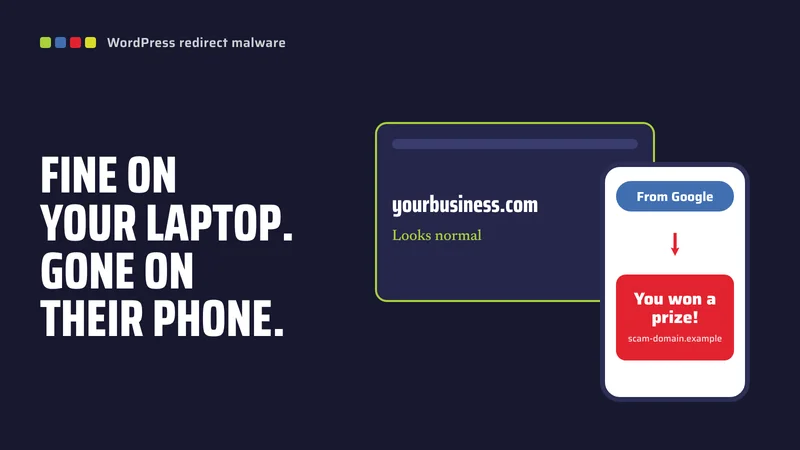
They cannot see inside your server. Backdoors in wp-content/mu-plugins, malicious admin users, database injections and redirects that only fire for mobile visitors from Google are invisible from outside. Our guide on why WordPress malware keeps coming back explains where they hide.
If you think your site is hacked
Signs include spam pages in Google, redirects to scam sites, unknown admin users, a host suspension notice or malware that returns after cleaning. Do not just delete the files your host flagged; the parts that reinstall the malware are usually elsewhere.
Our WordPress malware removal service cleans the site, finds how the attacker got in and closes every backdoor, from $149 with a 30-day reinfection guarantee. See also how to fix the Japanese keyword hack and redirect malware.
WordPress security checker FAQs
What does the WordPress security checker test?
It looks at what anyone on the internet can see: whether your WordPress version is exposed, whether usernames can be listed through the REST API or author pages, whether XML-RPC, readme.html, debug.log or open upload folders are reachable, which security headers are set, and whether the homepage shows spam words or suspicious scripts.
Can this tool tell me if my WordPress site is hacked?
Not with certainty. It flags visible warning signs, such as spam keywords or scripts loaded from throwaway domains, but most malware hides on the server, in the database or only for some visitors. A clean result is not proof of a clean site. If you suspect a hack, get a full server-side scan.
Is it safe to run this on my site?
Yes. It makes a handful of normal requests to public URLs, the same ones search engines and browsers make. It never logs in, submits forms, guesses passwords or tests exploits.
Why does exposing usernames matter?
Attackers who know your admin username only need to guess the password. WordPress lists users through /wp-json/wp/v2/users and /?author=1 by default. Hiding them does not replace strong passwords and two-factor login, but it removes an easy head start.
Should I disable XML-RPC?
Usually yes, unless you use the WordPress mobile app, Jetpack or a service that needs it. XML-RPC lets attackers try many passwords in one request and is a common source of brute-force traffic.
How do I hide my WordPress version?
Remove the generator meta tag (many security and SEO plugins do this), delete readme.html and license.txt from the site root, and keep WordPress updated. Hiding the version is minor; running the latest version is what matters.
What should I do if the checker finds problems?
Fix the red items first: update WordPress, remove exposed debug logs, turn off directory listing and disable XML-RPC if you do not need it. If the checker finds spam or suspicious scripts, treat the site as compromised and have it cleaned.
More free tools
- GEOAI visibility checkerScore any page for ChatGPT, Claude, Perplexity and AI Overviews: crawler access, schema, answer-ready content.
- robots.txtAI crawler checkerSee which AI bots your robots.txt allows or blocks, and get a ready-made robots.txt.
- GEOllms.txt generatorBuild an llms.txt file for your site from its sitemap in under a minute.
- SEOFAQ schema generatorWrite FAQPage JSON-LD for Google and AI answers, by hand or from your page.
- PlanningProject cost estimatorA budget range and timeline for a website, app or AI project in 60 seconds.