In Singapore, the Gulf, India and much of Europe, customers would rather send a WhatsApp message than fill in a form. That makes a WhatsApp AI chatbot the most natural place for a small business to start with AI. It also makes it the easiest place to annoy customers if the chatbot is badly built.
What a WhatsApp AI chatbot does well
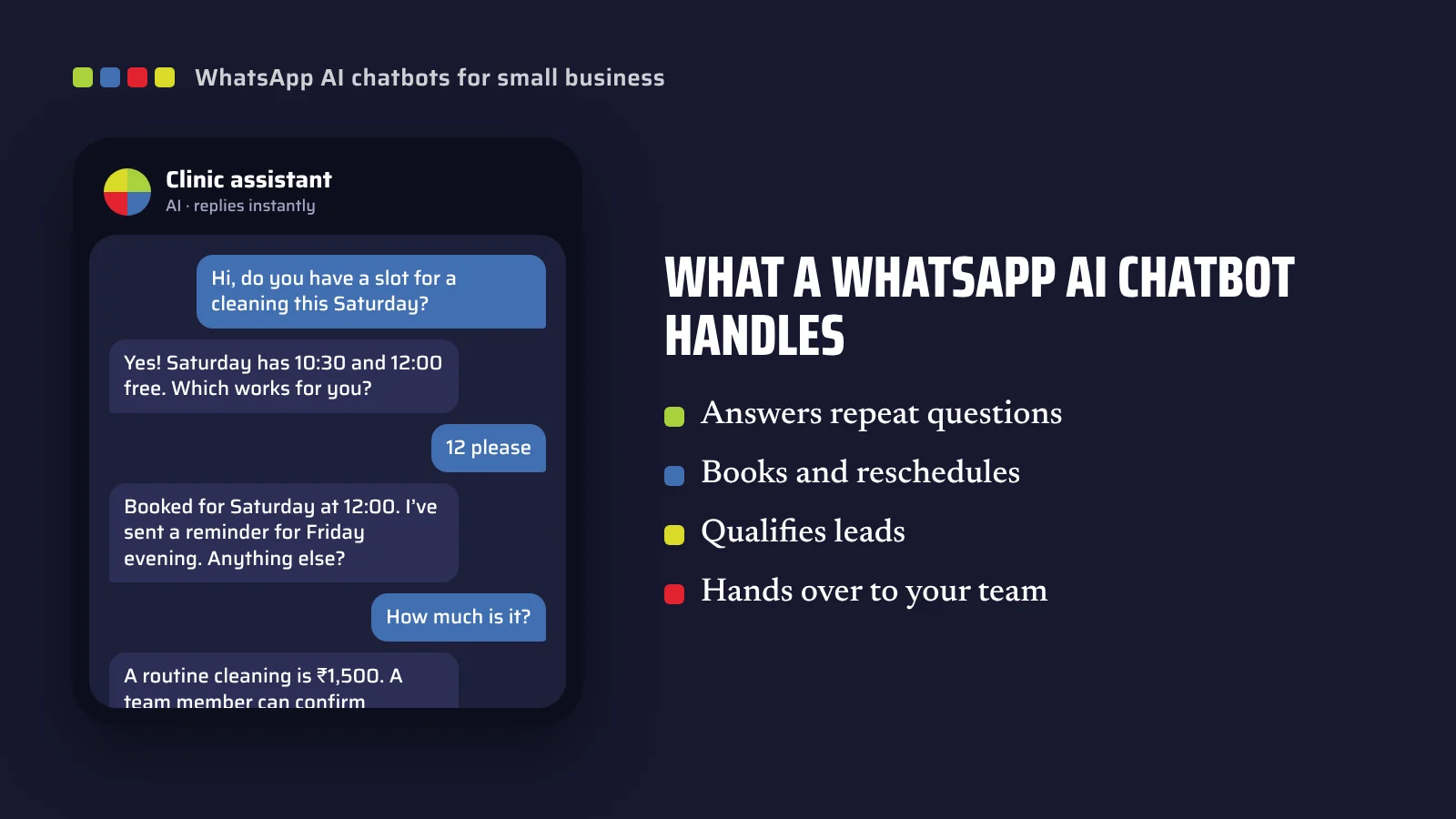
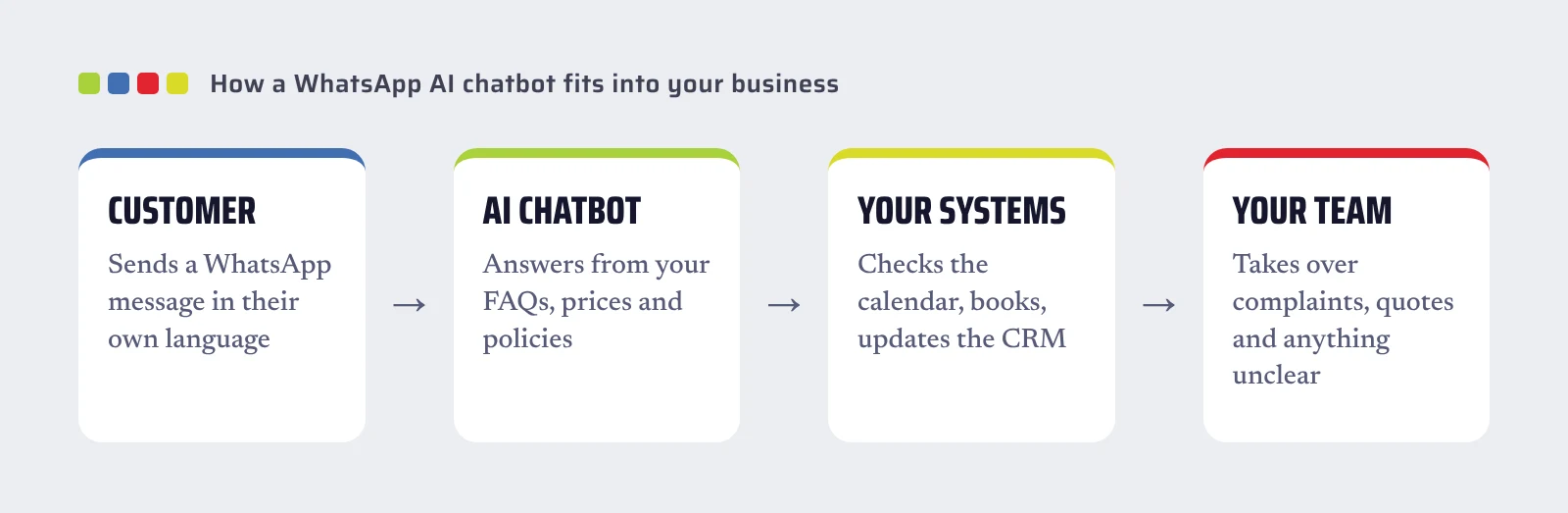
- Answer repeat questions. Opening hours, pricing ranges, delivery areas, documents needed. A chatbot grounded in your own documentation answers these instantly, in the customer’s language.
- Qualify leads. Ask the three or four questions your sales team always asks, then pass a summary to the right person.
- Book and reschedule. Connected to your calendar or booking system, a chatbot can handle appointments end to end.
- Follow up. Reminders, feedback requests and abandoned enquiry nudges, sent through approved message templates.
- Share documents and links. Brochures, price lists, location pins and payment links, sent at the right moment in the conversation.
Where it still needs a human
- Complaints and sensitive conversations.
- Negotiation and custom quotes.
- Anything the chatbot is unsure about. A good chatbot says so and hands over, with the conversation history attached.
WhatsApp Business app vs WhatsApp Business API
The free WhatsApp Business app is designed for a person replying from a phone. It supports quick replies and greeting messages, but not a real AI chatbot.
The WhatsApp Business Platform (the API) is what automated systems use. It requires business verification with Meta, supports several team members in one shared inbox, and lets a chatbot reply automatically. Meta explains the difference between the app and the platform on its own site.
Pricing changed in July 2025: Meta moved from per-conversation to per-message pricing. Template messages you send first, such as reminders and marketing, are charged by category and country, while replies inside the 24-hour customer service window have been free. Meta has announced further changes for some message types, so check the current pricing page before you budget.
Examples by type of small business
- Clinics: share treatment information, book and confirm appointments, send reminders and collect feedback after a visit.
- Real estate agents: answer questions about listings, collect budget and timing, and book viewings.
- Restaurants and cafés: take reservations, share menus and answer questions about dietary options.
- Service businesses: give price ranges, collect photos of the job, and book a visit.
- Online stores: answer order status questions, handle returns and recover abandoned carts.
How to plan a first project
- Pick one job. “Answer the 30 most common questions” is a better first project than “handle all customer service”.
- Collect the source material. FAQs, price lists, policies and past conversations.
- Decide the handoff. Who gets notified, how fast they respond, and what the customer is told.
- Measure. Track messages resolved without a human, response time and lead conversion before and after.
Most small businesses can have a focused WhatsApp chatbot live in three to six weeks, including verification, testing and a short pilot with real customers.
Privacy and compliance
Use the official WhatsApp Business Platform rather than unofficial tools, which risk your number being banned. Avoid sending personal data to models that train on it, keep conversation logs secure, and check local rules such as the GDPR in Europe, Singapore’s PDPA or Saudi Arabia’s PDPL.
Budgeting for one? Our breakdown of AI chatbot development cost covers build and running costs. Clinics and property agencies can also see how chatbots fit into healthcare and real estate projects.
Thinking about a first chatbot? See our AI chatbot development service or AI agents and automation.
Sources and further reading
- WhatsApp vs WhatsApp Business, Meta’s comparison of the app and the platform
- Pricing on the WhatsApp Business Platform, current per-message pricing
- GDPR full text, Singapore PDPA and Saudi PDPL
Frequently asked questions
Can I use the regular WhatsApp Business app for an AI chatbot?
No. Automated chatbots need the WhatsApp Business Platform, often called the WhatsApp Business API, accessed through Meta directly or an approved provider.
How much does a WhatsApp chatbot cost for a small business?
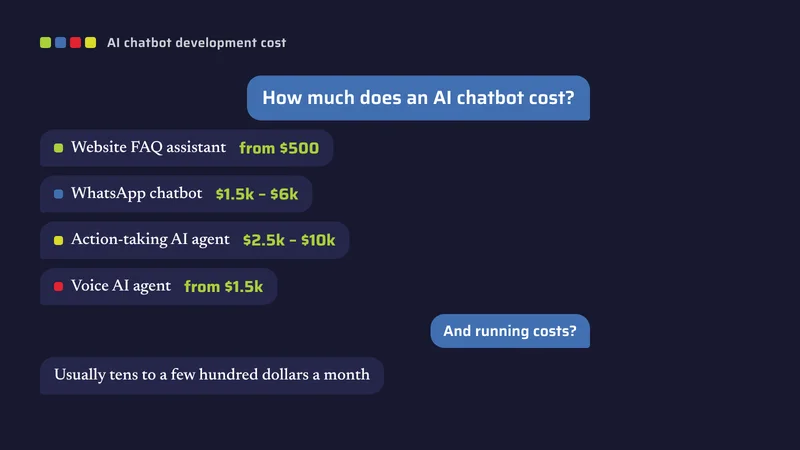
Building one typically costs $1,500 to $6,000, depending on integrations. Running costs include Meta's per-message fees for template messages, AI usage and hosting, usually tens to a few hundred dollars a month.
Can a WhatsApp chatbot reply in several languages?
Yes. Modern AI chatbots detect and reply in the customer's language, including Arabic, Portuguese, Hindi and Malay, but each language should be tested with real conversations.
Will customers know they are talking to a bot?
They should. Being clear that it is an assistant, and offering a person when needed, builds more trust than pretending.
Can a WhatsApp chatbot send messages first?
Yes, but only with approved message templates and the customer's opt-in, for things like reminders, order updates and follow-ups.